
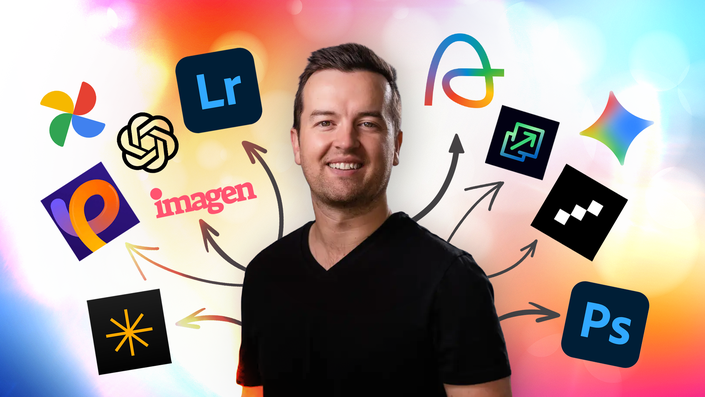
Is AI going to replace photographers… or empower the ones who learn how to use it?
Right now, photographers are hearing two extremes:
“AI will replace photography.”
or
“Ignore AI completely.”
The truth sits somewhere much more exciting.
AI isn’t here to replace your creativity, vision, or storytelling.
It’s here to remove friction.
- To save hours of tedious work.
- To help you edit faster.
- To organize thousands of photos instantly.
- To strengthen your photography business.
- To help you focus on what actually matters... Taking better photos.
This course shows photographers how to authentically use AI as a tool — not a shortcut, not a replacement, and definitely not image generation hype.
If you want practical, real-world ways AI can improve your photography today, you’re in the right place.
What This Course Is (And What It Is NOT)
This course IS:
- A practical guide to AI tools photographers actually use
- Focused on improving your real photography workflow
- Built for beginners and experienced photographers alike
- Designed around saving time and improving results
This course is NOT:
- A course about generating fake photos
- A prompt-engineering course for AI art
- A replacement for photography skills
- A“let AI do everything” approach
You will still be the photographer. AI simply becomes your assistant.
AI PhotographyTools Covered in This Course
- Adobe Lightroom
- Adobe Photoshop
- AfterShoot
- Luminar Neo
- Imagen AI
- HitPaw FotorPea
- Topaz Gigapixel AI
- PhotoEraser
- Google Photos
- Apple Photos
- ChatGPT
- Google Gemini
- Claude
- and more!
Why This AI Photography Course Matters Now
AI tools are already built into Lightroom, Photoshop, editing software, and photography platforms you may already use.
Photographers who understand these tools are:
- Editing faster
- Delivering galleries sooner
- Managing massive photo libraries easily
- Improving image quality beyond previous limits
- Running more efficient photography businesses
The goal of this course is simple: Give you immediately useful AI photography workflows you can start using today.
No overwhelm. Just real wins from day one.
Who This AI Photography Course Is For?
- Photographers curious about AI but unsure where to start
- Hobbyists wanting faster workflows
- Professionals looking to save editing time
- Creators managing large photo libraries
- Anyone who wants technology to support creativity — not replace it
By the End of This Course, You’ll Be Able To:
- Use AI tools confidently as a photographer
- Cut hours from culling and editing workflows
- Improve image quality using modern AI enhancements
- Organize and search your photo archive instantly
- Plan shoots and generate creative ideas faster
- Streamline your photography business operations
- Stay ahead of the future of photography
AI will continue to evolve.
But photographers who understand how to guide technology... instead of fear it... will have the advantage.
This course gives you the foundation to adapt, experiment, and grow alongside these tools while staying true to your artistic voice.
Ready to Dive into the Future of Your Photography?
Learn how AI can support your creativity, speed up your workflow, and help you become a more efficient, confident photographer.
Start using AI the right way as a photographer.
Your Instructor
My passion is inspiring people through online courses. Since 2012, over 2,000,000 students have taken my online courses - and I'm so grateful to every single one of you.
I graduated with a Bachelor's Degree in Film and Television Production from Loyola Marymount University, Los Angeles. Over the past 10 years, I've shot and edited thousands of videos that have played everywhere from the movie screen and television to film festivals and YouTube.
Course Curriculum
-
StartHow to Use AI in Photo Editing (7:39)
-
StartA Quick Note About Upcoming AI Demos (2:22)
-
StartDemo: AI-Powered Culling in Lightroom (10:16)
-
StartDemo: AI-Powered Culling with AfterShoot (8:47)
-
StartDemo: AI-Powered Batch Editing with AfterShoot (10:53)
-
StartDemo: AI-Powered Batch Editing with Imagen (10:13)
-
StartOne Slider to Rule Them All with Luminar Neo (3:54)
-
StartDemo: AI-Powered Masking in Lightroom (5:51)
-
StartDemo: Remove Objects & Distractions in Lightroom with AI (10:01)
-
StartExpand the Edges of Your Photos with AI in Photoshop (3:00)
-
StartDemo: Remove Objects & Distractions with AI in Photoshop (3:55)
-
StartDemo: Remove Objects & Distractions with AI in Luminar Neo (3:49)
-
StartDemo: Edge Expansion in Luminar Neo (2:39)
-
StartDemo: Retouching Portraits with AI in AfterShoot (3:58)
-
StartDemo: AI-Powered Photo Restoration with Luminar Neo (2:53)
-
Start3.1 image quality with ai (3:02)
-
StartDemo: AI-Powered Noise Reduction in Lightroom (1:56)
-
StartDemo: AI-Powered Noise Reduction with Luminar Neo (2:39)
-
StartDemo: AI-Powered Noise Reduction with HitPaw Fotorpea (2:39)
-
StartWhich AI Tool Reduces Noise the Best? (2:36)
-
StartDemo: AI-Powered Upscaling with Lightroom Classic (2:30)
-
StartDemo: AI-Powered Upscaling with Luminar Neo (1:12)
-
StartDemo: AI-Powered Upscaling with HitPaw FotorPea (2:07)
-
StartDemo: AI-Powered Upscaling Online with Upscale.Media (1:48)
-
StartDemo: AI-Powered Upscaling with Lightroom Powered by Topaz Labs' Gigapixel AI (2:15)
-
StartWhich AI Tool is Best at Upscaling Your Photo's Resolution? (3:44)
-
StartDemo: Fix Focus with HitPaw FotorPea (4:00)
-
StartDemo: Fix Focus with PhotoEraser (1:38)
-
StartDemo: Fix Focus with Topaz Labs Unblur Tool (2:27)